
by Deborah Kline, Ed.S.
My tutor friends and I are working on a visual tutorial of the new SUFS EMA system for finding and paying Direct Pay Providers (DPP). This is what it looks like the new process will be as of now; however, DPPs have not been given any instruction nor go ahead to use this system.
DISCLAIMER: I am not an SUFS employee and have no inside information. This tutorial is not from SUFS. I am simply a DPP and Recipient trying to help! 🙂
This system is obviously incomplete and likely to change but we are trying to help educate Providers and Recipients to help us all transition more quickly.
RENEWAL FAMILIES: SUFS has still advised us to use the legacy site for billing for the time being. Please continue to approve reimbursements on that site for now.
NEWLY FUNDED RECIPIENTS (PEP and FES-UA): You are only on the new EMA system and DPPs are not able to submit reimbursements for you. Please note that most DPPs are asking recipients to pay out of pocket and providing reimbursable invoices for you to submit on your side until this system is fully launched.
What the new system looks like as of 9/20/2023:
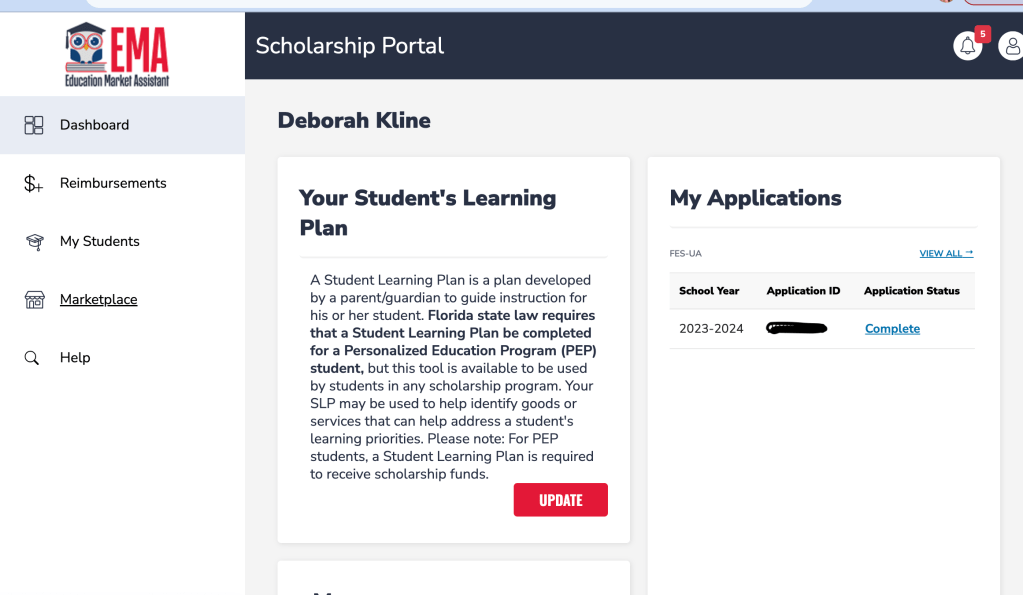
Step 1: What the EMA Site looks like for Recipients:
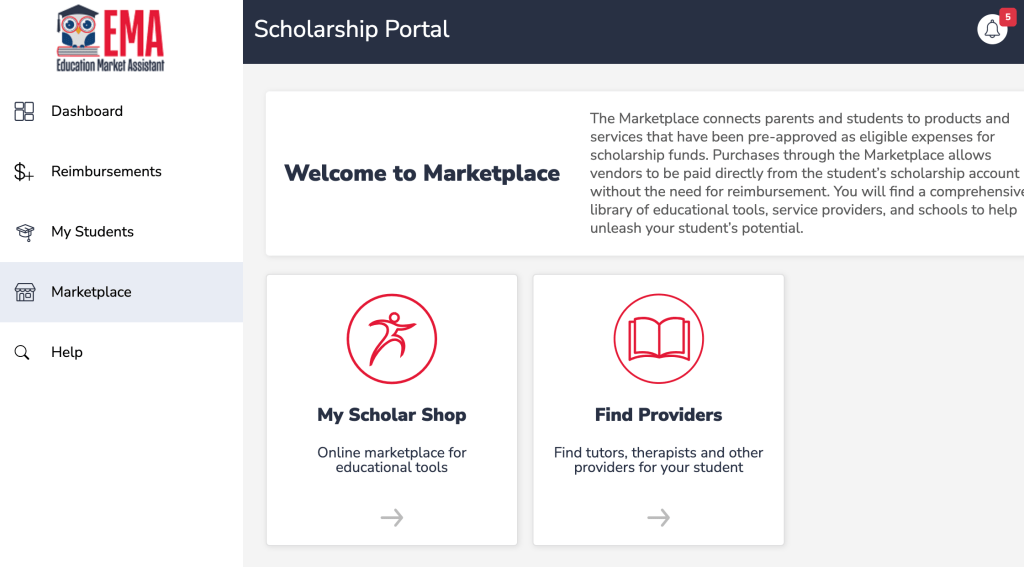
Step 2: Click on Marketplace for My Scholar Shop and Find Providers.
Step 3: Select Student
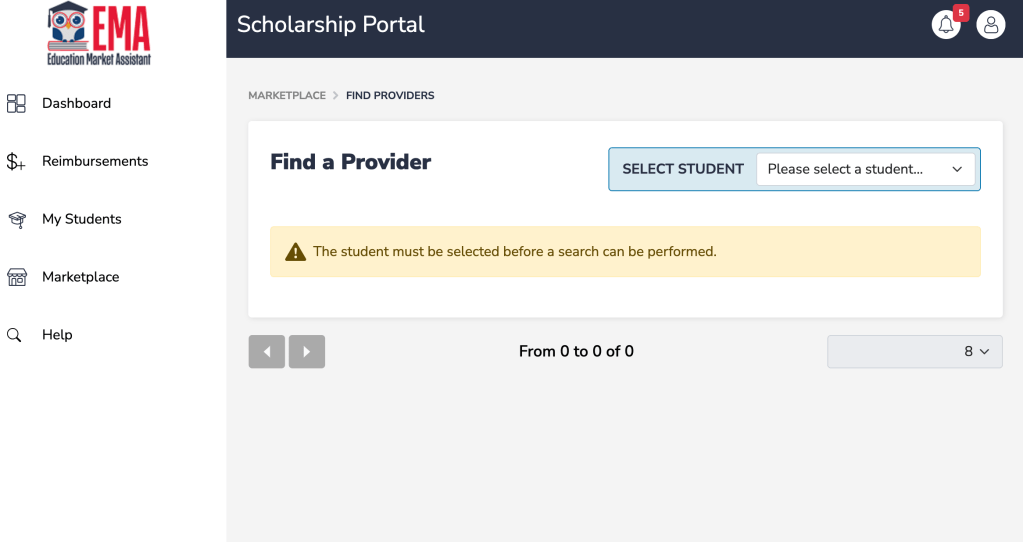
Step 4: Fill in your provider search criteria.
If you have a provider you are already using, type in their name or business name.
Note: If your provider’s does not come up, notify your provider asap to make sure they are in the new EMA system.
If you are doing a general search for a new provider, you will put the subject or service you are looking for.

Step 5: Select Location.
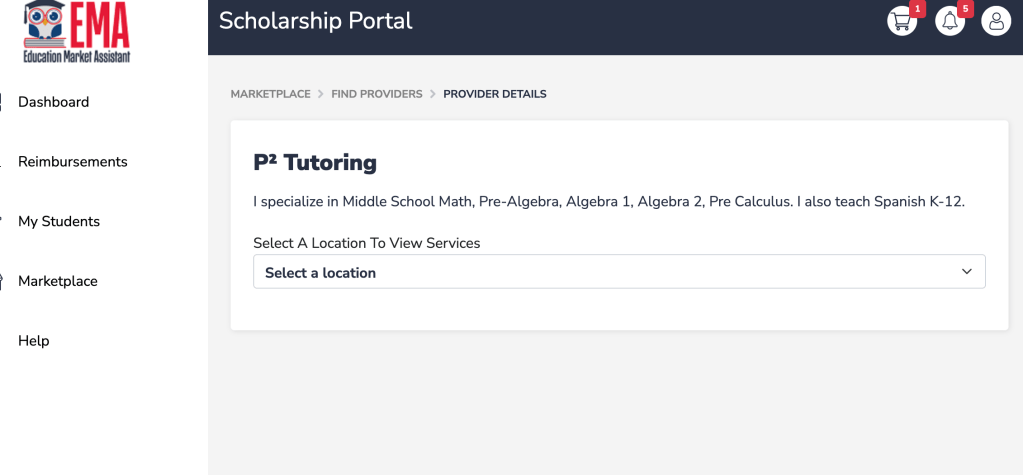
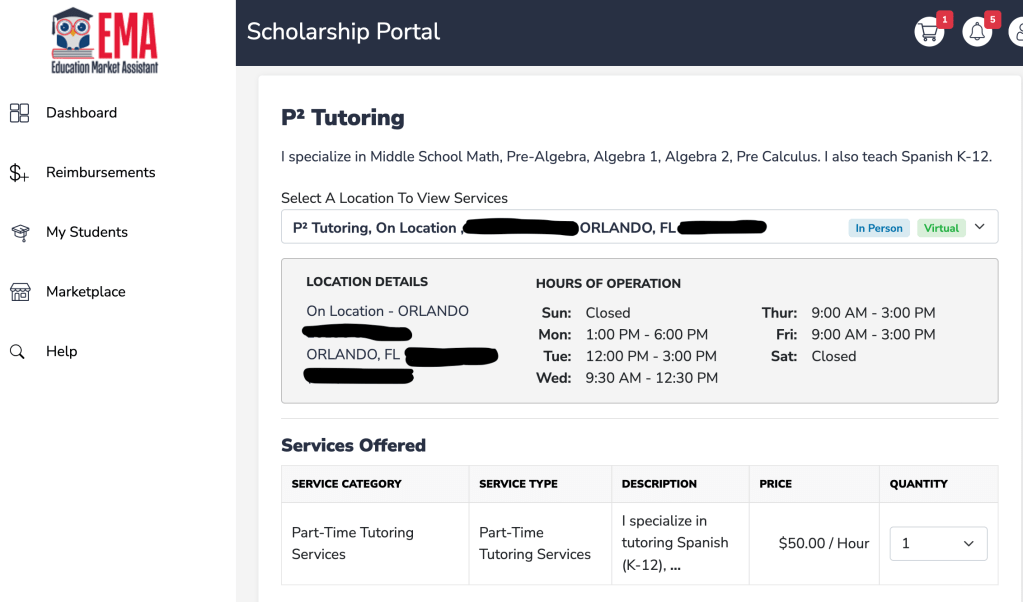
Step 6: View Provider information. Select service and amount.
It looks like there will be several different ways for services to be offered (i.e. hourly, monthly, etc.), which means recipients should be able to reserve funds for several months at a time.
However, DPPs are only paid after services are rendered. We have no information for what that side of the process will look like yet.
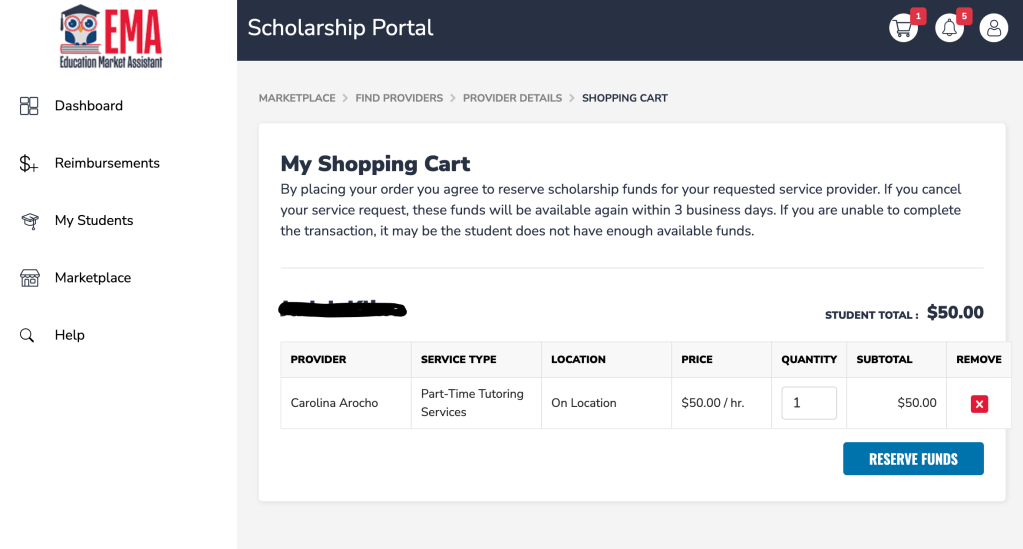
Step 7: Go to Shopping Cart.
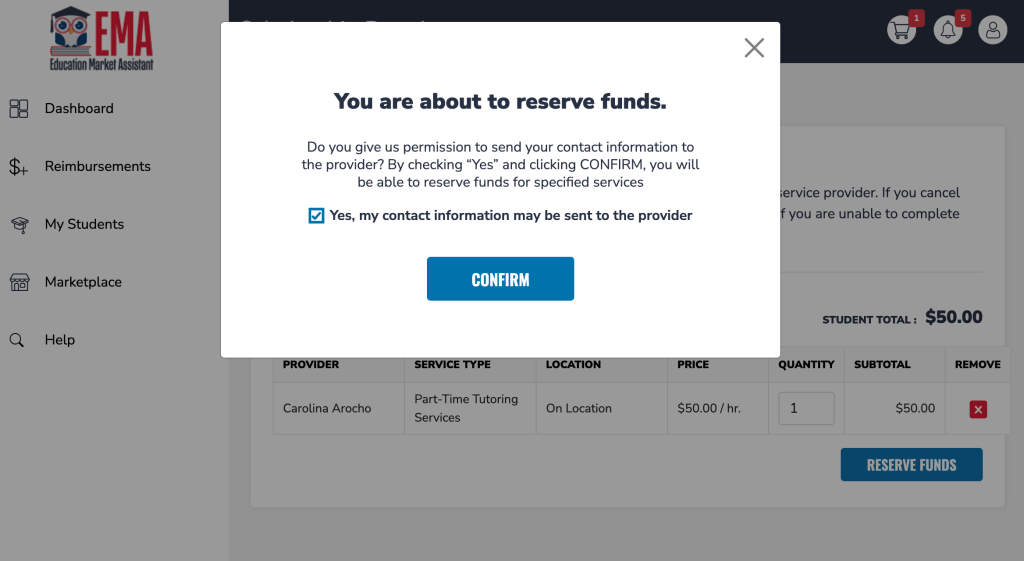
Step 8: Reserve Funds and Confirm.
This is what we have so far. As options and processes become available, we will update the site to help keep people informed.
Good luck, all! =)
 Deborah Kline, EdS