
With Step Up servicing more students than ever, I thought I would take a second to create a post to help new scholarship recipients navigate the reimbursement process for EMA.
Disclaimer: I am not employed by Step Up and am not privy to insider information. I am simply a sub-contracted choice navigator/evaluator/tutor as well as parent of recipients for over 5 years.
For actual help from the scholarship, fixing your account issues please contact Step Up directly.
The scholarships and websites are changing dramatically this month. I will update this process if and when changes are made.
What are the Step Up scholarships?
If you’re not familiar with the different Step Up Scholarships, please visit here
The FES-UA scholarship is specifically for students with specific diagnoses. Those on this scholarship are not required to be tested annually but are required to submit annual portfolio evaluations. For more about portfolio reviews, click here .
The PEP scholarship is available to all homeschoolers. There is a testing requirement for this scholarship. I personally offer the KTEA3 norm-referenced test (through CHLAFL) which is much less stress than the typical school testing. It is a wonderful tool for measuring progress and informing future learning!
How does the scholarship work?
Once you apply, you will be listed as “pending” then changed to be “awarded” when deemed eligible (Note: awarded does not mean funded). You may be on the pending list for some weeks or even months.
If you apply later in the year, YOU MAY BE WAITLISTED which means the scholarship does not have the funds for your student presently but funds may be freed up later in the year or the following year. Being on the wait list bumps you up on the priority list for the following year. It is worth it to get on the list as soon as possible.
Once “funded,” scholarship funds are placed in your account for your use.
As of Fall 2023, reimbursement funds will be sent to your reimbursement card instead of your bank account. More on this to come.
Scholarship amounts vary by grade, county, and start date. Please refer to the handbooks found here.
The three ways to use your SUFS funds:
- Reimbursement – The parent pays for the items up front then submit a request to be reimbursed. Please refer to the SUFS FTC handbooks regarding which items are pre-approved for reimbursement. Items and services not specified on the list need pre-approval.
- My Scholarshop is an online store where parents can purchase items and curriculum directly using your scholarship funds. All items in the Scholarshop are pre-approved and are shipped directly to the client. It expedites the process by reducing the reimbursement requirements.
- Direct Pay Provider Reimbursement – If the provider is registered with SUFS, they are called “Direct Pay Providers.” The new FES-UA and PEP students use a portal on the EMA system where you can search providers and reserve funds. On the Renewal Legacy Site, the parent’s only responsibility is to approve the reimbursement. Currently, providers are still using the legacy site for Renewals, EMA for new recipients.
How to submit a reimbursement
Submitting a SUFS reimbursement has been a lengthy process in the past. I joke that submitting FES invoices is my part-time job. And, in some ways, as both a provider and recipient, it really is.
The LEGACY (old) website is notoriously slow and glitchy (Pro Tip: do your reimbursements before 8am, the website is always faster between 6-8am).
Please note: The EMA site is still somewhat glitchy and problematic.
The reimbursement process takes about 3-6 weeks from submission to payment. Sometimes it is quicker but I have never had a reimbursement take over the 60 days – even if it was put on hold. If you have a reimbursement take over 60 days, you will need to escalate and contact Step Up.
Even though it is slow, I am grateful for the process as it shows the organization upholds its ethical duty to ensure funds are not mismanaged. As a parent and tax payer, it should be appreciated that funds are being monitored and deemed educationally pertinent.
So, here’s the process on EMA…
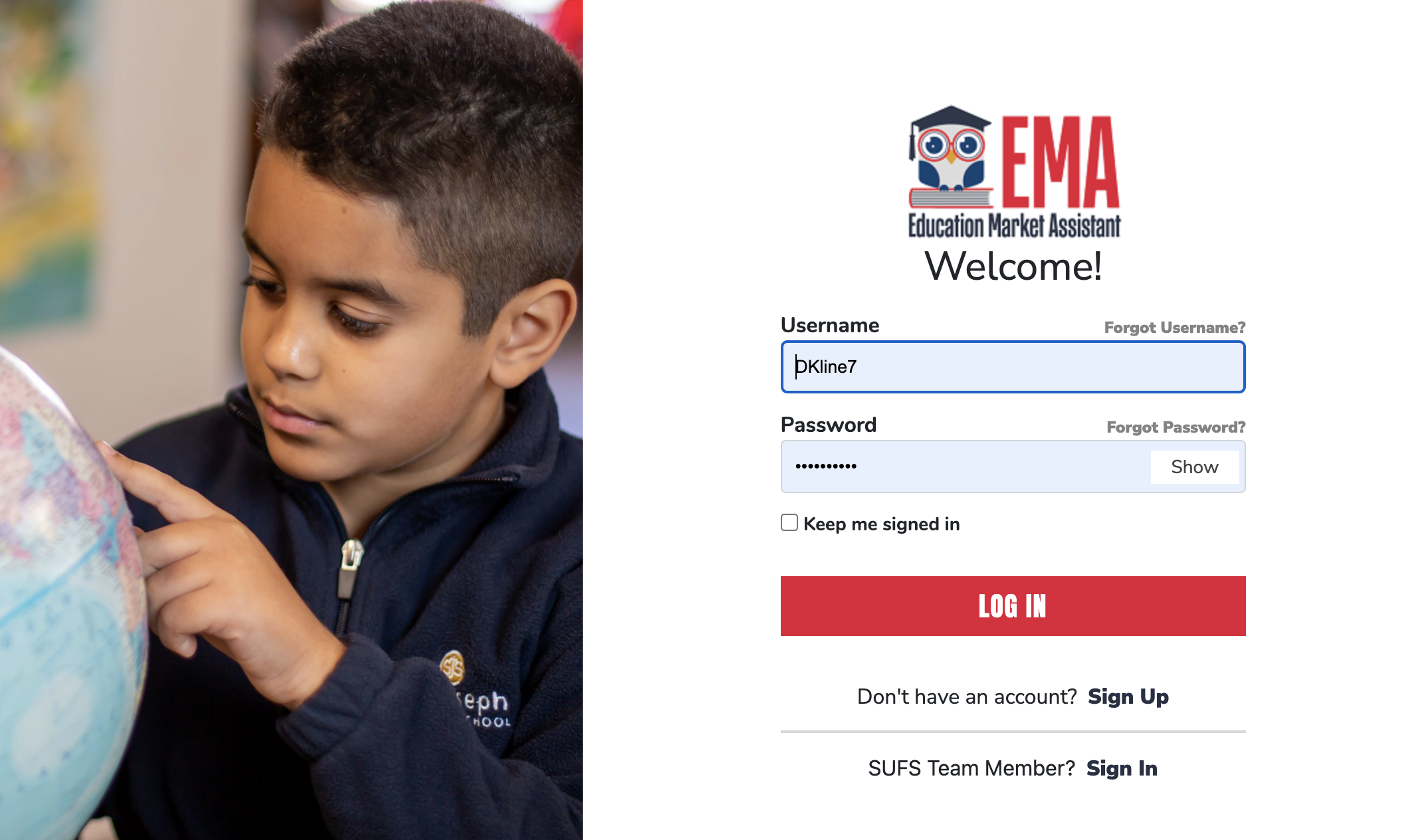
- Log in to your account.
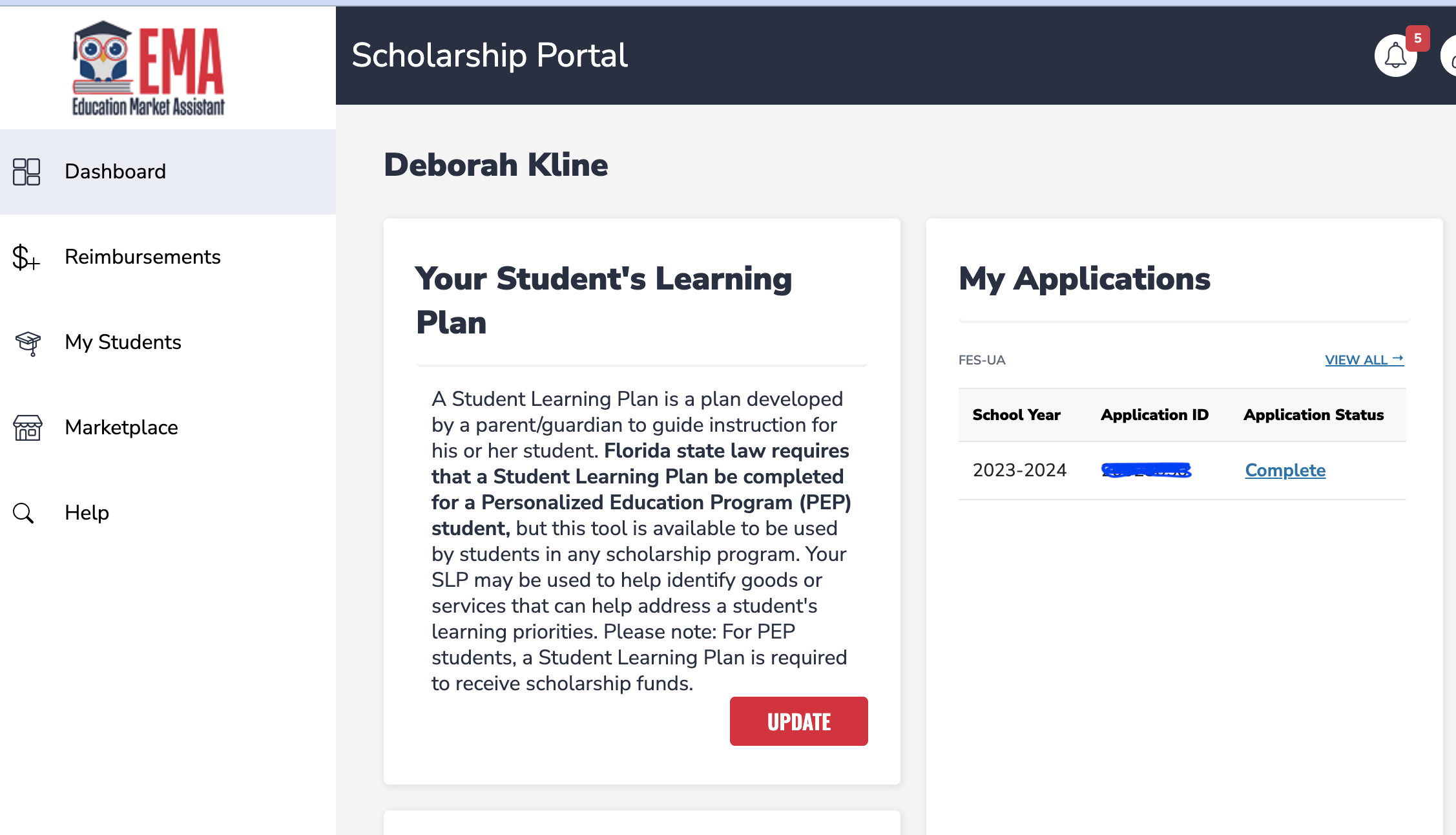
- Click on the “reimbursement” tab on the left.
3. Click on the “ADD NEW” tab.

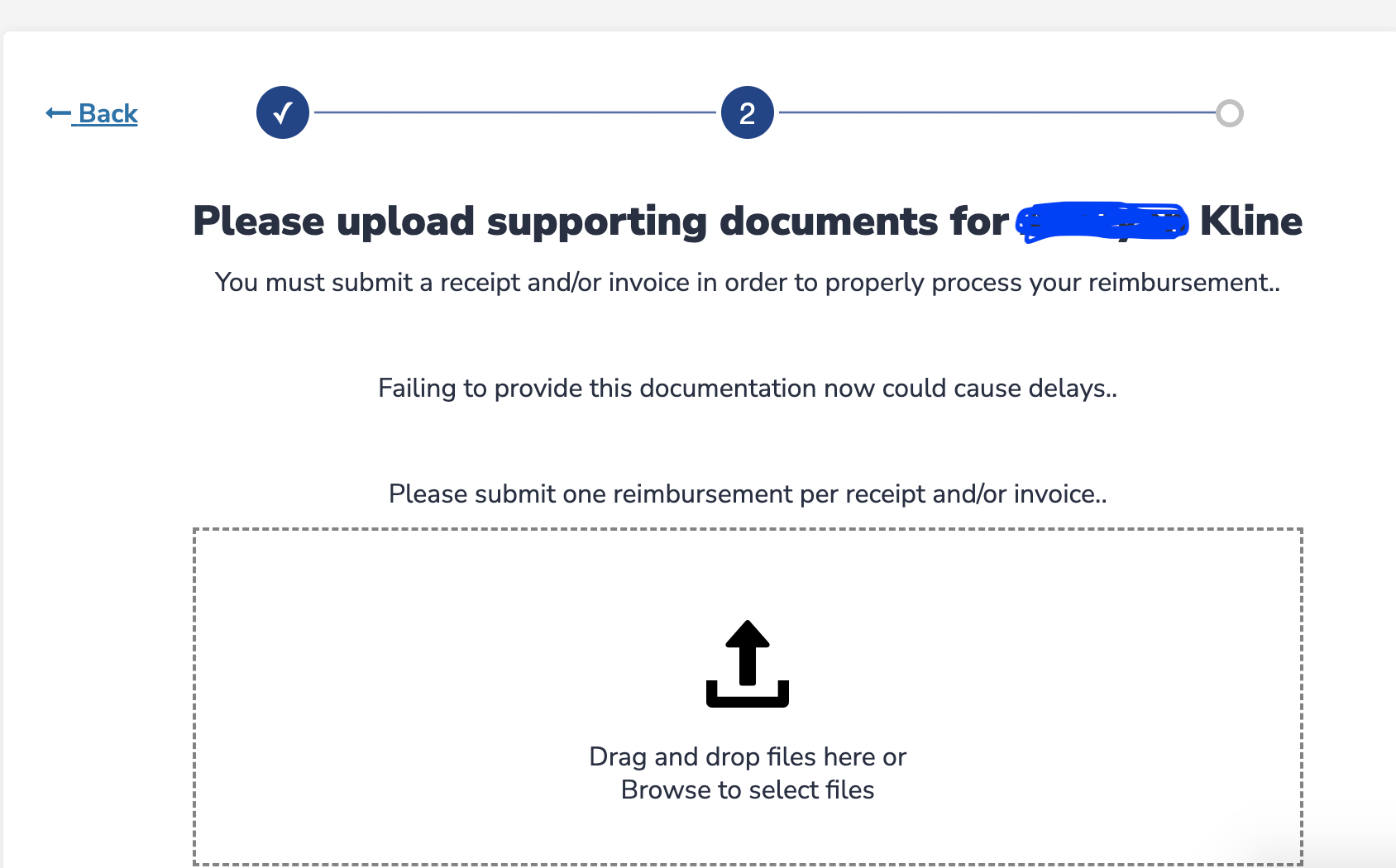
4. Choose Student (if applicable) and UPLOAD your initial receipt. There will be a chance to add supporting documentation later. 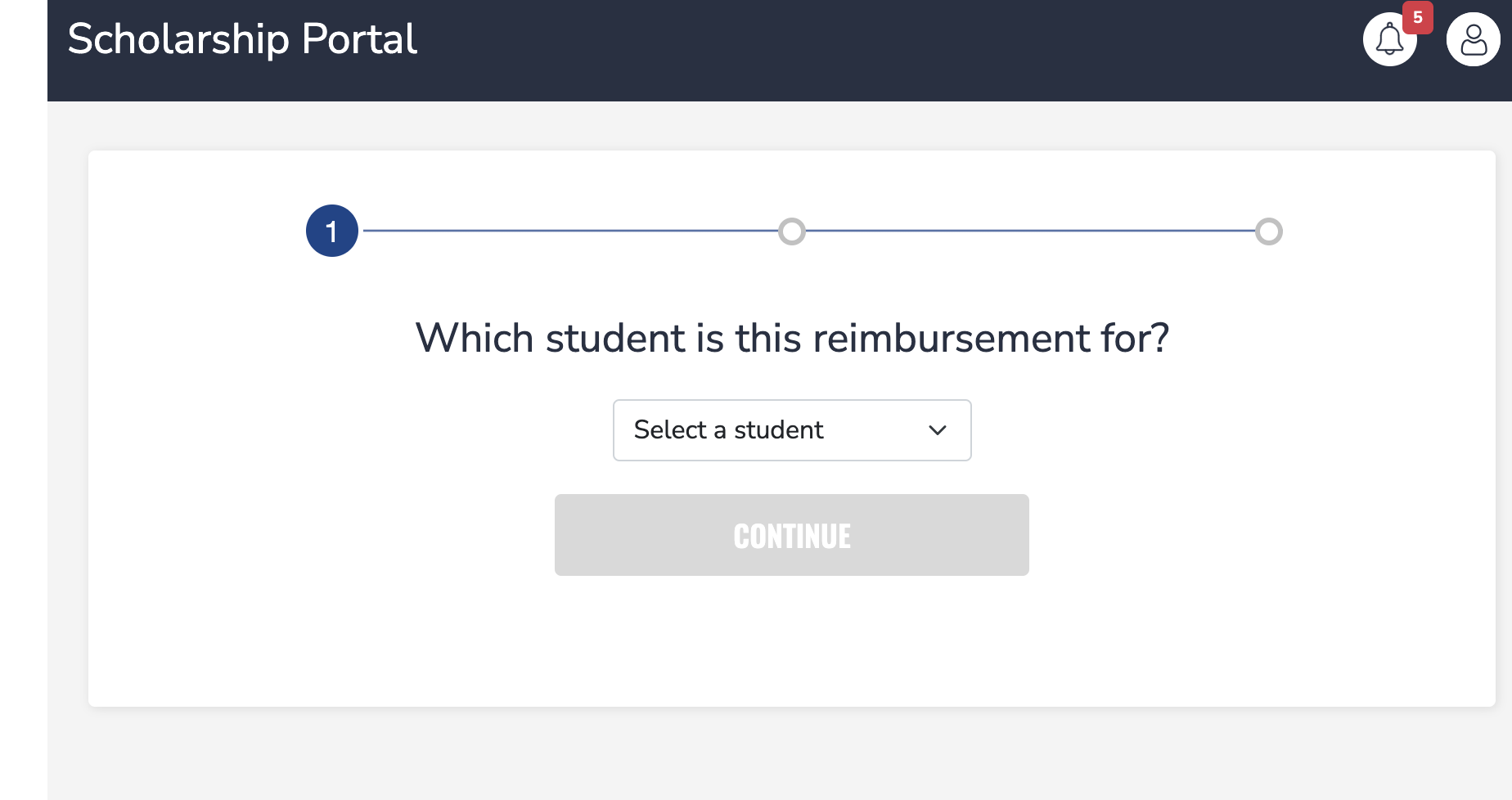
5. Enter the Reimbursement information.
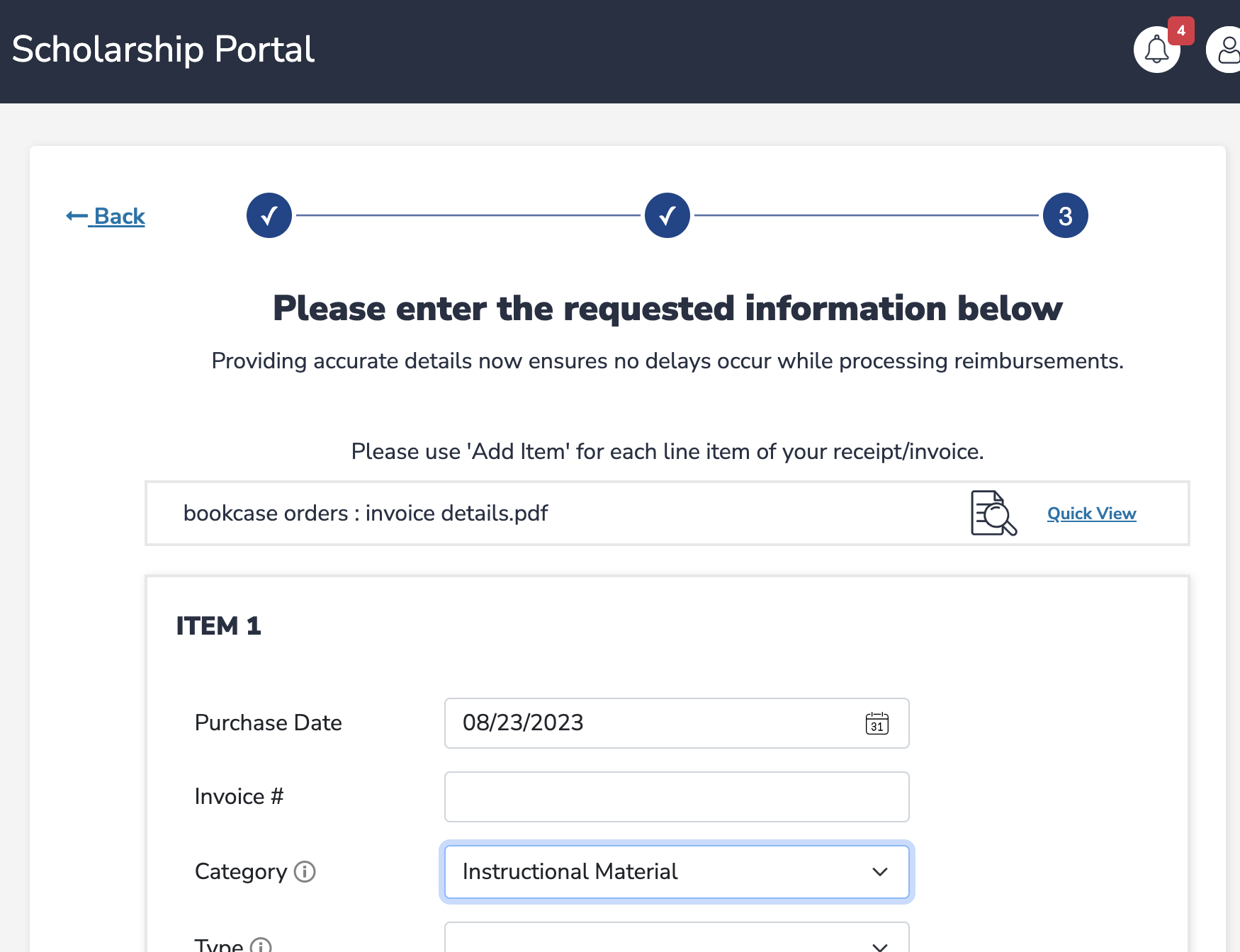
Most items will be found under “Instructional Material”:

6. Add supporting documentation.
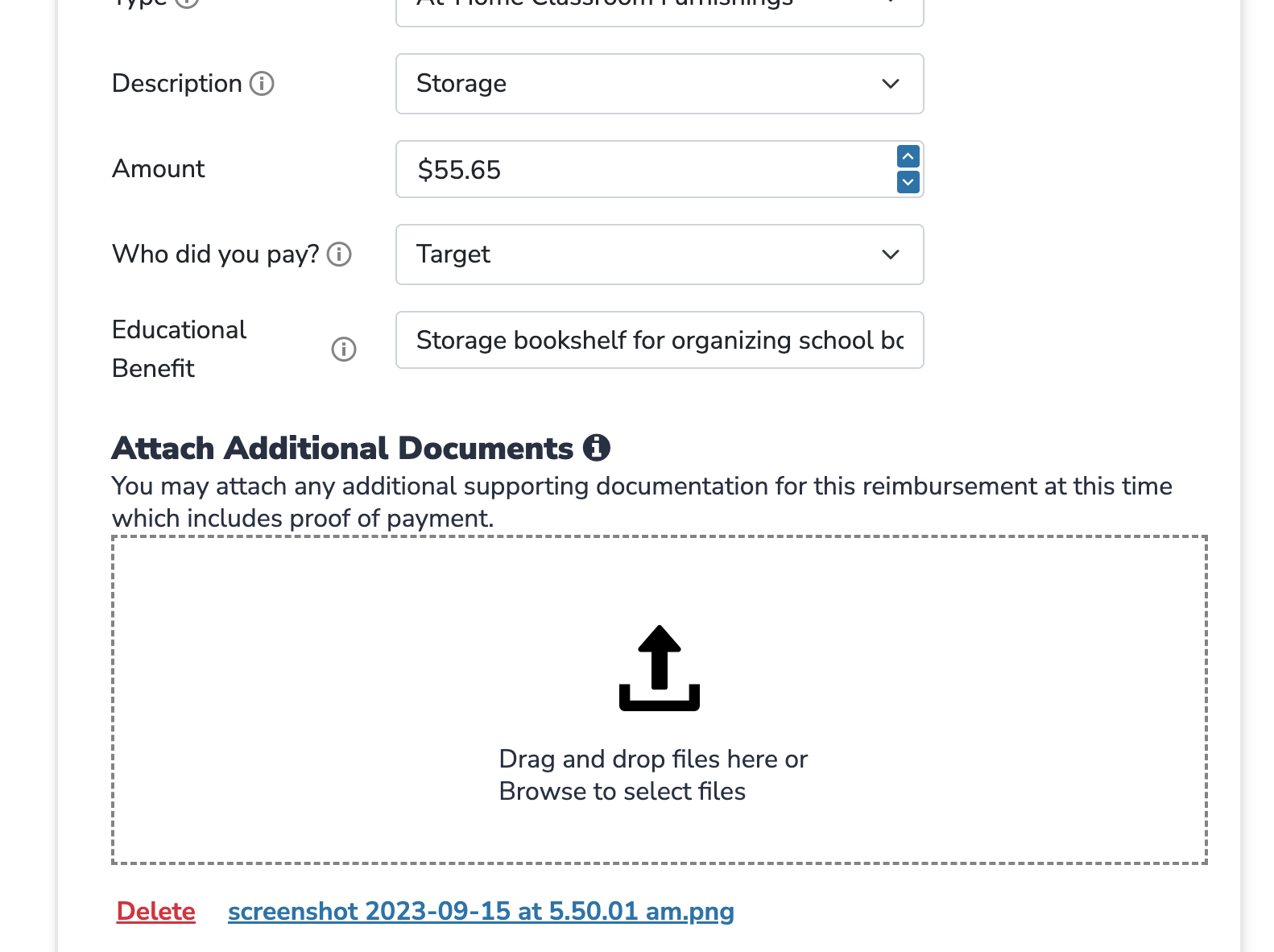
If the original invoice does not have proof of payment, child’s name, or date, you will want to upload a picture of your bank/CC/Paypal account detailing the transaction. I personally include this on every reimbursement to prevent holds. I’ve had reimbursements put on hold for minor misspellings and missing dates.
If you are uploading an invoice from a PROVIDER (tutor, PE lessons, therapist, etc) who is not registered with SUFS, you will need to upload the provider’s credentials.
For Part-time tutors (includes academic, music, foreign language, etc. tutors), you will need to upload a copy of their Florida DOE teacher certificate and/or degree. Otherwise, the expense will be categorized as an elective and capped.
For PE and elective courses (which are not required to have the part-time tutoring credentials), you will want to upload business documentation such as a screenshot of the provider’s website. It’s not required but it is beneficial for proving educational relevance. Note: PE courses (sports, riding lessons, dance, etc.) are not capped; however, general elective type courses (art, cooking, etc) not conducted by a credentialed teacher (certified or degreed in the subject area) are capped.
You can upload PDFs, JPEGs, and a variety of other formats (but not Word documents). You should be able to upload a few supporting documents with each upload. The more supporting documents, the quicker the approval; however, if the documentation is confusing, this can result in a hold.
7. Once the request details are completed, Click Save Item and Submit for Approval.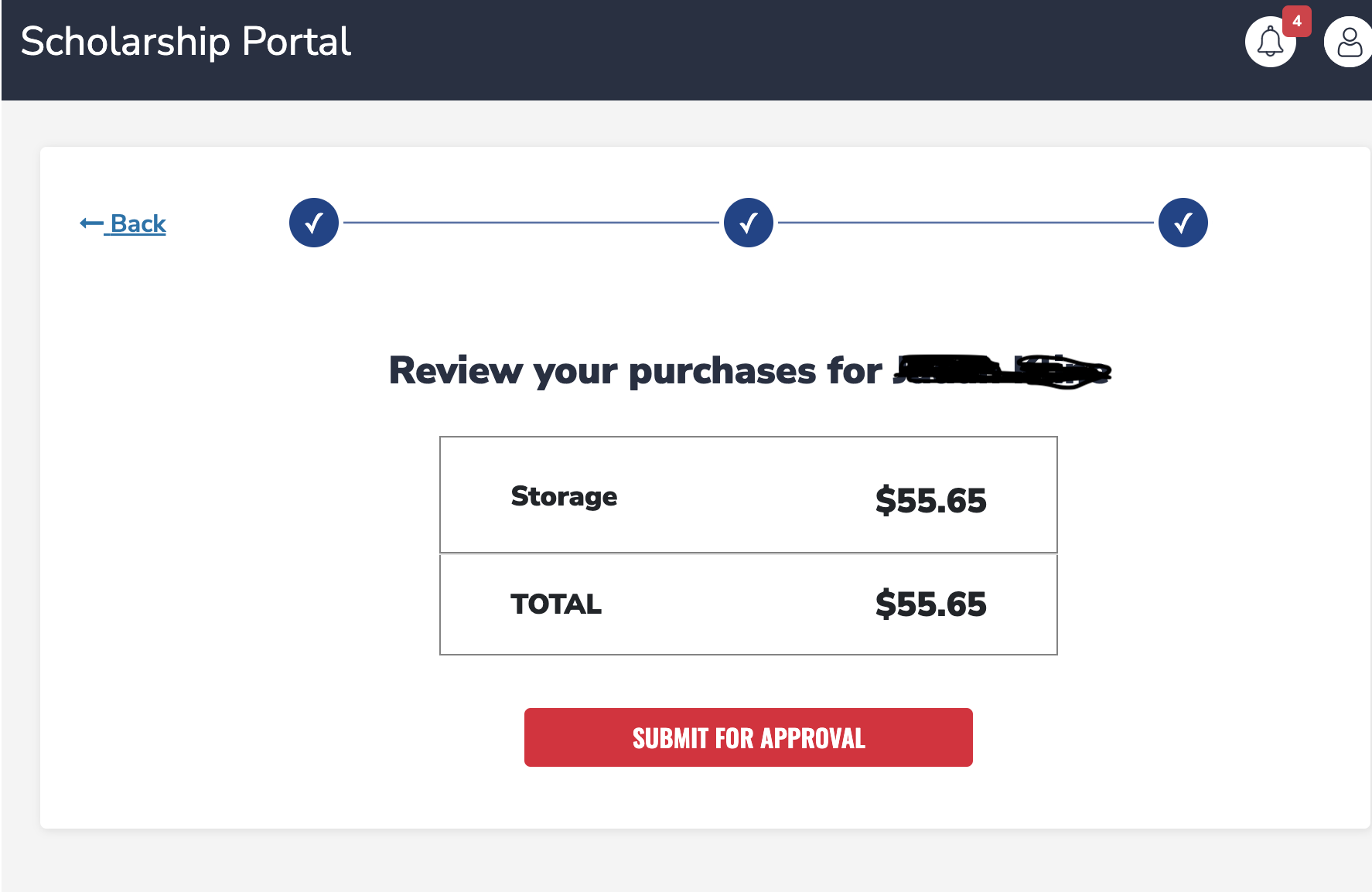
Tip: Make sure all invoices/receipts show…
- PAID with a 0 balance
- DATE(S) of purchase/service (they will want to make sure it was within this funding year (July 1 to June 30)
- Form of payment (i.e. Paid by PayPal, Paid using Card XXXX).
- If the above requirements are not listed on the invoice itself, upload a picture (screen shot) of the posted transaction from your bank, PayPal, or credit card account.
- If using non-direct pay educational services (tutor, therapist, etc), the student’s name and FES ID number (not application number) should be listed on the invoice along with dates and descriptions of service. The dates must be this funding year.
On questionable items/services, I recommend providing a note or lesson plans to show how the item is being used educationally. NOTE: The legacy system did not accept word documents – you will need need to turn the document into a pdf or JPEG.
Warning: Documentation without proof of payment and/or dates will delay the reimbursement by weeks. They will want to make sure the item has indeed been paid by you and is for your child.
Waiting for payment
Once submitted, the SUFS reimbursement process will take about 3-4 weeks – June, July, September, October (beginning and ending of each funding year) are typically slower months. Expect the process to take closer to 4-6 weeks.
Your reimbursement will show up on your account as demonstrated in the next screen shot.
Stages of the Reimbursement Process:
DOCUMENT ATTACHED – means your reimbursement and documents have been submitted
ON HOLD – means you need to provide more supporting documents such as bank statements, dates of service, provider credentials, etc. (This could take a while which is why I recommend providing as much info as possible).
AWAITING APPROVAL – means everything looks good and your reimbursement is in line to be approved and paid.
LEARNING SPECIALIST REVIEW – Means the reimbursement is being review to determine educational relevance and reimbursement eligibility. This can delay the process but it helps keep recipients accountable.
After Awaiting Approval, the item is moved into “Pending Payment” tab for a few days then is moved to the Paid tab. Once paid, the money arrives to your bank account in 2-3 business.
For more assistance…
I hope you have found this tutorial helpful. I know how difficult it was for me to figure out the process when I first started. I’ve also had to walk a number of clients through the process – figured this blog might help.
If you need more assistance or have specific questions, please email SUFS directly.
You can also email me at DeborahKlineConsulting@gmail.com for more information about the program from a Provider and Recipient perspective; however, I may not have the answer to your questions.
 Deborah Kline, EdS