
By Deborah Kline, Ed.S.
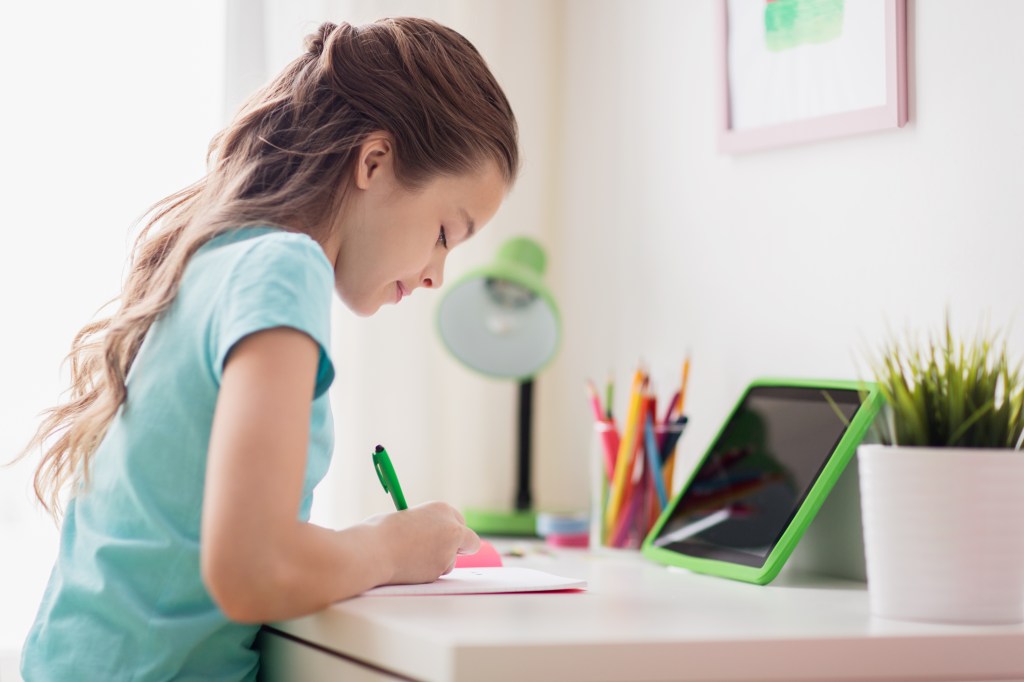
The physical environment surrounding learning makes a significant difference between focused and distracted learning. If your home is like ours, you may not have much space to work with, and with 4 of us home all day, there are only so many places we can go to be alone. You may have to get creative and intentional with our space, especially in ensuring students have the movement they need for healthy brain functioning. Kids are not wired like adults to sit at a computer all day – I’m an adult and I can’t sit at a computer for more than 2 hours.
Here are some of the things we are doing to create more effective workspace for our kids. In the comments sections, I would love to hear your ideas as well. This post is designed to be a think tank for parents sharing ideas!
Some of our Ideas…
Find quiet spaces away from others and distractions like TV, video games, toys. This seems like a no brainer, but can be trickier to do in smaller homes. Last year, we had the kids and myself all at the kitchen table. While the setup got us through the quarter and made for some fun memories, it was not ideal for learning. The kids were constantly making each other laugh – even with a large privacy partition set up. And, the constant converting the table from school to dinner table back to school became tiresome. This year everyone has their own dedicated spaces – and backup spaces.
Prepare multiple spaces for a variety of learning. Your child will need a change of scenery and opportunities to stand and move while working – especially those who are required to be on virtual learning normal school day hours. Set up a few options for your child – a desk, table, counter top, book shelf, sofa. You can also find a wide variety of portable desks on Amazon to set up workstations anywhere in the house.
Versatile seating. Chairs are necessary, but also place workstations near softer seating (beds, comfy chairs, bean bags) for seating variety. Reading is always more enjoyable when you’re comfy. 🙂
Space for movement. Be intentional about providing easy access to movement opportunities – brain cells need physical activity to help brain cells grow and stimulate positive emotions! Have a plan for activities your child can easily do as “brain breaks” – movement and non-learning activities which allow the brain to take a break and prepare for hard work.
Plants! Plants provide fresh oxygen, energizing indoor environments. Never underestimate the power of a small plant in your child’s workspace. If the area is away from a window, snake plant is a low maintenance plant which thrives in any light condition. Other great indoor plants which require little care and aren’t messy are African Violets and cacti.
Small white board or cork board. Invest in a small white board or cork board for your child’s workspace. This is where you can put the daily schedule, date, and any reference tools or visual reminders they may need. I’m currently in love with this little board I’m using at my daughter’s work space: https://amzn.to/3imT5xr
TEACHER TIP: Another option instead of white board is to laminate a white piece of paper. You can use any dry erase or washable marker on it! This option goes well with portable workstations.
Use a backpack to keep your child’s materials portable and accessible in case he or she needs to move locations for a change of scenery.
Clipboards with Storage. One of our favorite home/virtual school tools are the clipboards we actually bought for a road trip a few years ago. The clipboards have a storage compartment where I put all worksheets, pencils, and books (the ones that fit) for the day. The kids often take their clipboards to other parts of the house or outside to work when they need a change of scenery. Again, providing that much needed movement for reinvigorating brain cells.
Visual Reminders. Like myself, many of you are balancing work and virtual learning. In a perfect world, I would love to just turn on my son’s computer and let him follow all the instructions and not have to monitor him. But, he’s 12, and, like most 12 year olds, he’s highly distractible. He will get off task. He is also expected to be in class when I’m also teaching. Because of this reality, I am creating the following visual reminders to help him stay on task when I am not available (TEACHER TIP: Blue ink on yellow paper has been researched as the color combination stimulating strongest memory recall):
Bell/Subject schedule
Step by step instructions for finding websites and resources
Step-by-step guide for tackling tasks
Adaptable checklists for assignment completion
Growth Mindset mantras
Organizational tips
Clock and Timer. Make sure you have a visible clock your child can refer to. Timers will also come in handy with helping the students back to learning after breaks. More about the latter in the next post.
Stay Neat and Organized. I know this one is a challenge for some (like myself), but make a commitment to keep your child’s work area neat and organized. Or, better yet, if the child is old enough, encourage him/her to keep his or her area neat by incentivizing the task!
You may even want to invest in a cubby system with decorative drawers to hide distracting toys or books. These are the cloth storage bins we recently updated our office with to limit distractions – they are both durable and stylish: Ihttps://amzn.to/2XIFd8K
If your child’s workstation is in the bedroom, make the bed daily if possible. Yeah, yeah, yeah, I hear those grunts – I’m the worst about making beds unless company is coming. I’ve been trying to get in the habit of making beds to prepare for the school year. My husband told me yesterday he was weirded out by it. Clearly a sign that in our 15 years of marriage, making beds has not been my strength. In all seriousness, having a neat, organized environment does help distracted brains focus. Again, incentivize and make bed-making a part of your child’s new morning routine. Let them development the awareness that organized environments help them learn!
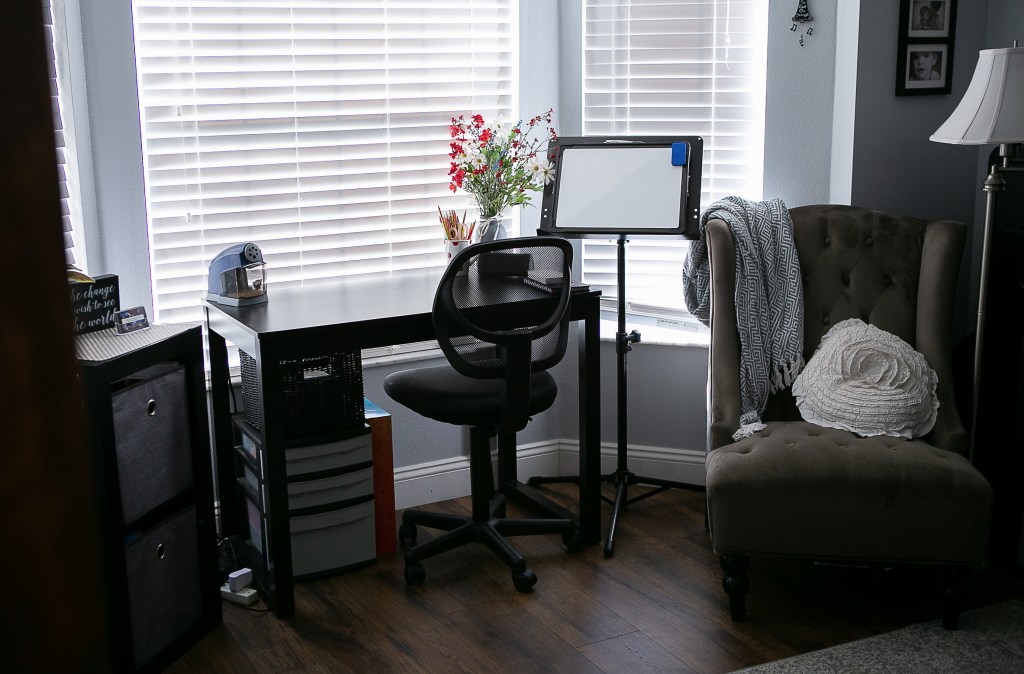
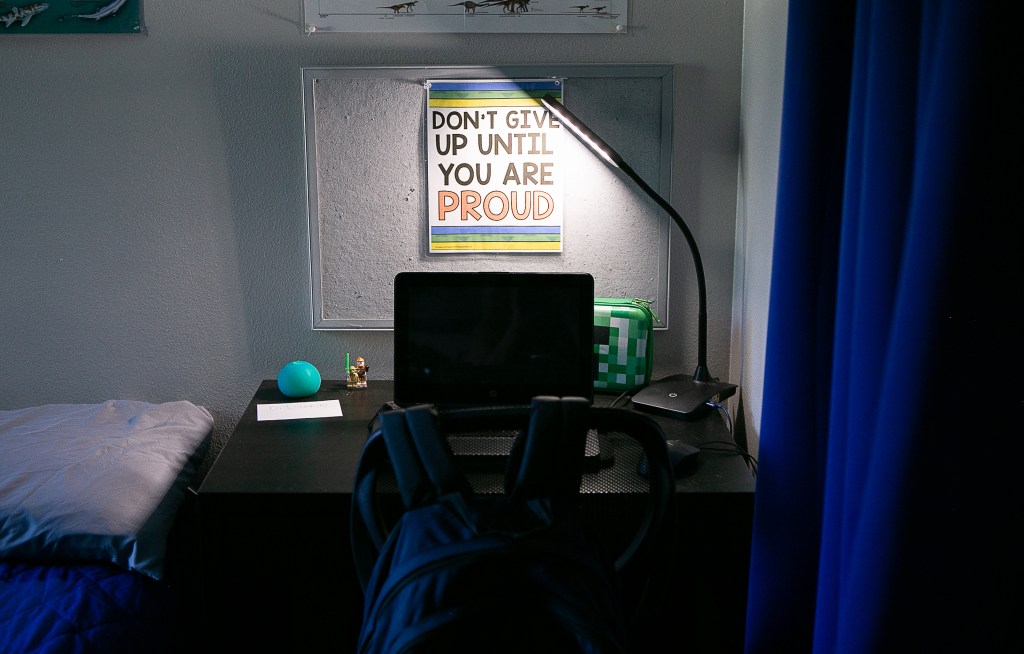
Below is what one of our designated spaces look like as of now. I’m sure it will be a work in progress as we figure out what works and what doesn’t throughout the year.

NOW IT’S YOUR TURN!!!
What is your child’s work area like? Do you have any great hacks or learning tools which you love? What has worked for your home? What hasn’t worked? I love hearing new ideas for making our students’ workspaces more inviting and effective. Leave a comment below to share your ideas!
Look for Part 3 of the Virtual Learning series on motivating ongoing learning coming next week!
 Deborah Kline, EdS